AI script → voice → visuals → thumbnail → upload

Create YouTube Videos with AI in Minutes

Generate scripts, voiceovers, AI visuals, captions, thumbnails and Shorts - and publish automatically.

Stop spending hours writing, voicing, editing and designing. Chitrio produces upload-ready long videos and Shorts - with AI script, natural voiceover, designed slide templates, kinetic captions, click-worthy thumbnails and one-click publishing.

Publishing volume, cinema quality or a two-host AI podcast - all on one platform. Go wide with 200 video-minutes a month, go deep with Google Veo 3 in 4K, or put yourself on screen as a lip-synced presenter - from your own photo, with consent recorded.

No card needed · Free trial credits on signup · Cancel anytime · English & हिन्दी

Try it now - no signup

AI Script
AI Voice
AI Visuals
Captions
Upload

10 min

topic → finished video

200 min

of video/mo on the $29 plan

Veo 3 · 4K

cinema-grade ceiling

13 langs

videos · dub in 27

Live demo

Try it right now - no signup

Type a topic and watch the studio produce a video preview. This is a simulation; real renders are even richer.

See it in action

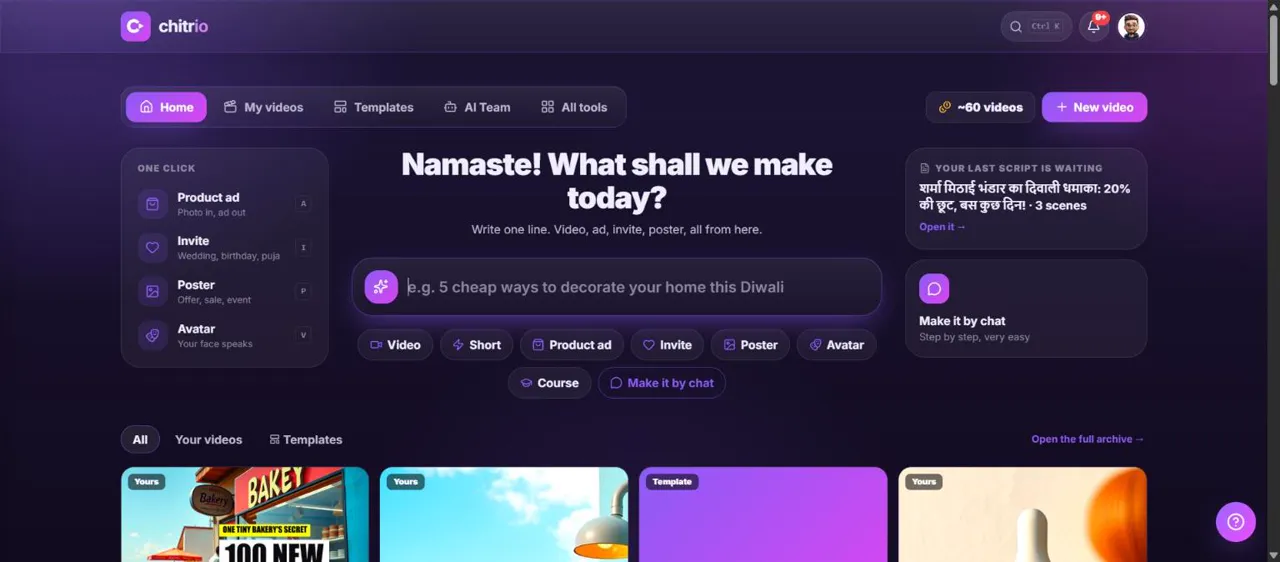
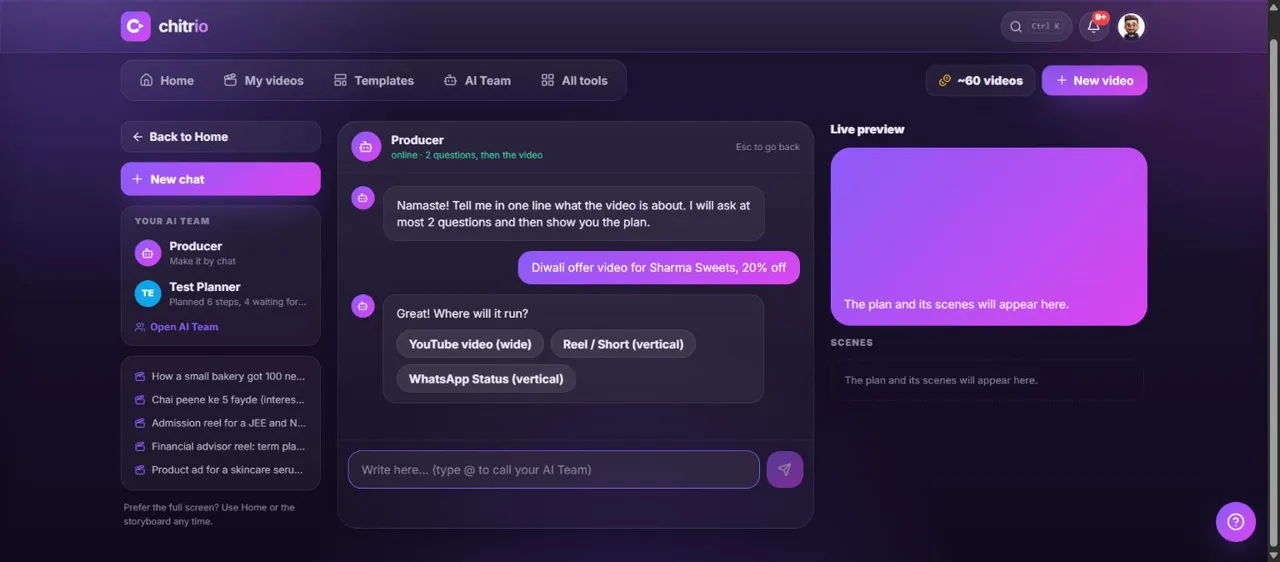
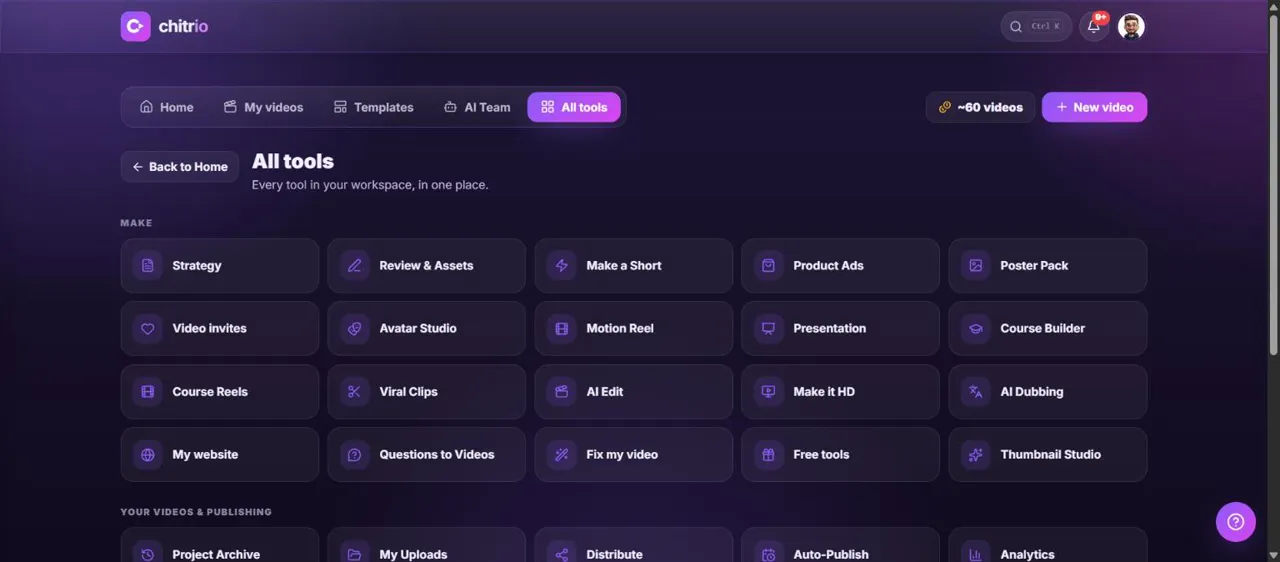
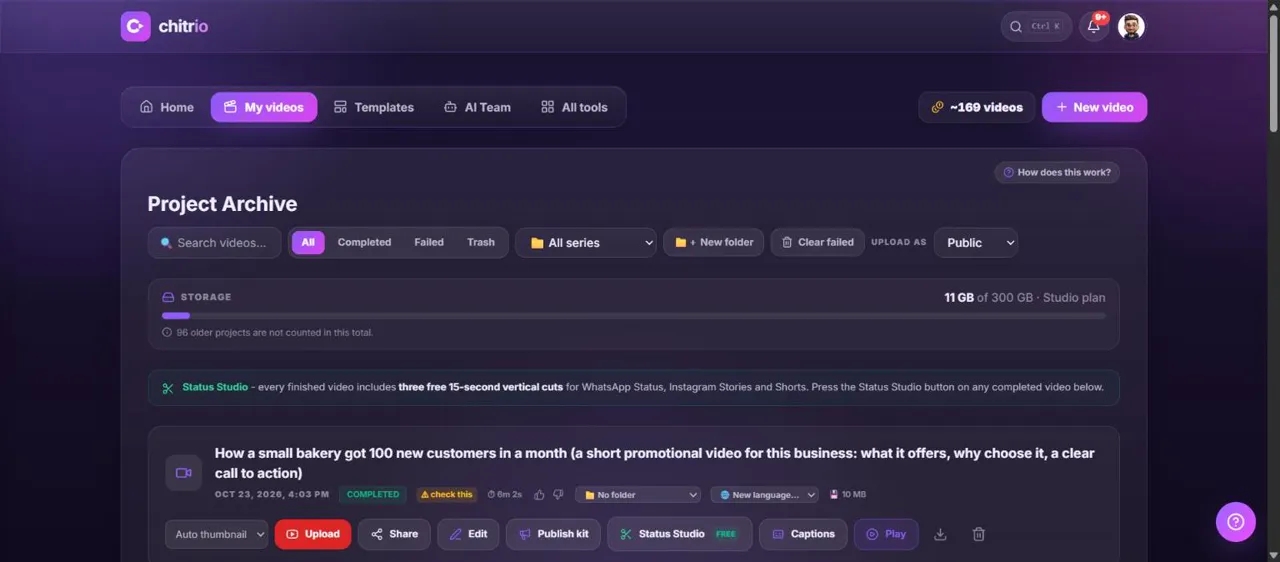
Your studio, one screen

Generate, review, render and publish - all from a single dashboard.

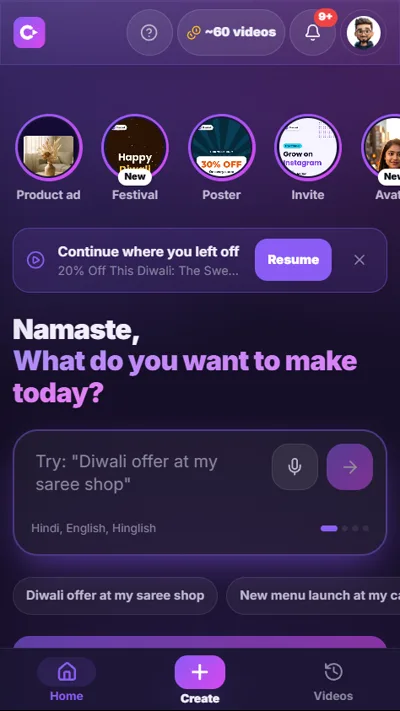
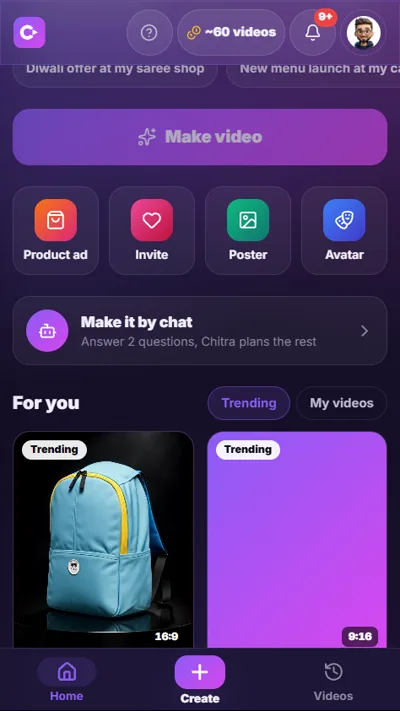
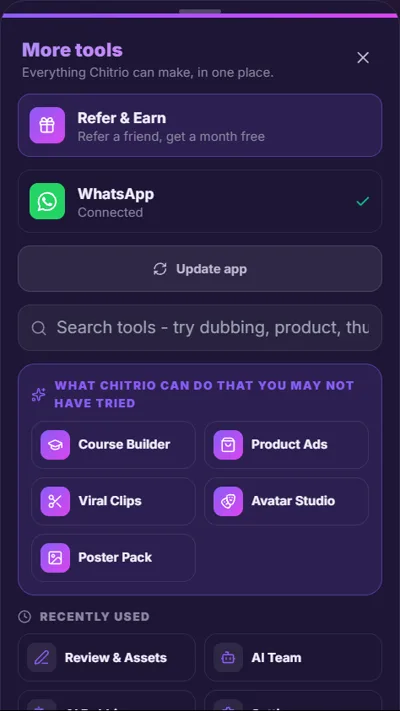
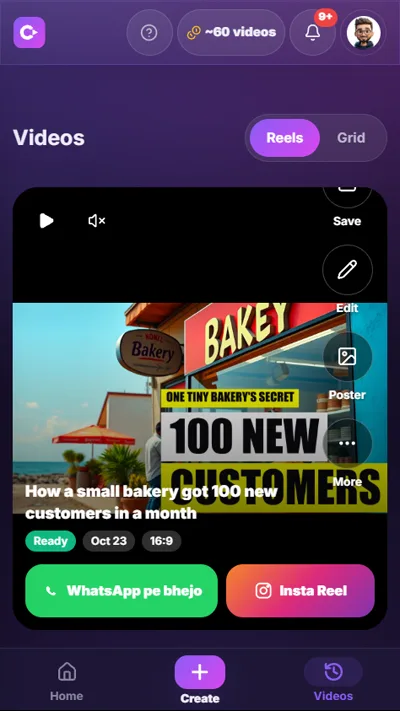
app · Chitrio

Real screen recording of the product · type a topic, review the script, publish the video.

How it works

From idea to upload in 4 steps

No editing skills, no crew, no software to learn.

01

Enter a topic

Type a topic or let AI suggest high-CPM ideas. Pick length, tone and language.

02

AI produces everything

Retention-optimized script, natural voiceover, cinematic images, optional AI motion.

03

Review & polish

Pick a slide template, re-roll or replace any scene’s visual, edit captions and the thumbnail hook - or accept the defaults.

04

Render & publish

Choose Lite for volume or cinematic for quality, render to MP4 + Shorts, then upload now or on a schedule.

Free courses: how to use Chitrio

Watch it being used, step by step, for the way you work

Four free video courses, screen-recorded on the real product: every click on screen, from the first video to publishing, three to five minutes a lesson. English and Hindi. No account needed to watch.

Faceless channels

Run a faceless YouTube channel with Chitrio

Your first video, Shorts, styles, motion engines, presenters, publishing, autopilot and dubbing.

8 lessons · free · no account needed to watchWatch in Englishहिन्दी में देखें

Small business

Market a local business with Chitrio

A promo in five minutes, a product ad from one photo, free posters, video answers to customer questions, a weekly autopilot.

8 lessons · free · no account needed to watchWatch in Englishहिन्दी में देखें

Agencies and freelancers

Deliver client video without hiring editors

Client kits, a client promo, near-free revisions, review links, clips, dubbing upsells, team roles and finding the next client.

8 lessons · free · no account needed to watchWatch in Englishहिन्दी में देखें

Instructors and coaches

Build and publish a video course with Chitrio

Syllabus from a description, on-screen teaching slides and code, quizzes, a course page and the students it brings.

8 lessons · free · no account needed to watchWatch in Englishहिन्दी में देखें

Features

An entire video team, in one app

Everything a faceless channel needs - no other tools required.

NEW: Course Builder

Describe what you teach and get a full course: a planned syllabus, rendered video lessons, and a beautiful shareable course page with modules, progress tracking and student email capture. Sell it anywhere - the videos are yours.

Retention-first AI scripts

Hooks, open loops and payoffs engineered for watch time. 7 narration tones + full prompt control.

Natural voiceover

Budget OpenAI voices (~20× cheaper) or premium ElevenLabs. You can also clone your own voice - consent is required and recorded.

Designed slide templates

4 looks - Bold, News, Minimal, Documentary - with headlines that slide, rise or fade in. Free on every plan.

Cinematic AI motion

Turn stills into real moving footage with fal or Google Veo 3 - or directed Ken Burns, free.

Talking AI presenter

Put yourself on screen from your own photo, or use a character invented with AI portraits - nobody real. Using anyone else’s likeness requires their consent, which we record. Facecam bubble, split-studio or full screen; idle loops keep them on screen between speeches for pennies.

AI podcast studio

Debate format writes a real two-host episode - questions, answers, the mic passing sides. One render outputs the split-studio video AND a free MP3 for podcast platforms.

Volume mode

Priced by length, not per video - and ~2× faster to render: up to 200 video-minutes a month on the $29 plan.

AI dubbing - 27 languages

Any video you own (or one you rendered) comes back speaking Hindi, Tamil, Spanish and 24 more - background music preserved, translated captions burned in, spoken by a preset, custom-designed or your own cloned voice. From 10 credits per minute.

Per-scene visual control

Re-roll any image, edit its prompt, or upload your own photo or clip for a single scene.

Kinetic captions

Word-by-word brand-styled subtitles that keep viewers glued.

Click-worthy thumbnails

AI hero shots + bold two-tone hook text. A/B options in the Thumbnail Studio.

True vertical Shorts

Full-frame 9:16 Shorts composed for phones - never letterboxed. Choose crop-to-fill or natively drawn portrait visuals, full or cliffhanger, funneling viewers to your long video.

Viral Clips from long videos

Upload a podcast or interview; AI reads the whole transcript, finds the hype moments and scores them. You pick, and each becomes a vertical clip with captions of the exact words - nothing is produced until you choose.

Copyright-free music videos

Pick a CC-licensed track by mood, and Chitrio builds beat-synced visuals to its length - every cut lands on the detected beat, and the artist credit writes itself into the description.

Lyric videos, synced to the singing

Upload a song you own and paste its lyrics: every word appears on screen at the exact moment it is sung, over AI visuals with the same character in every scene. Built for bhajan, devotional and lyric-edit Shorts.

Product Ads from one photo

Upload your real product and pick ad scenes from a visual gallery - slow-mo splash, unboxing reveal, studio spotlight and more. Your exact design is composed into each scene, you approve the previews, and only the ones you approve get animated.

Step by step, and what it costs

Free Status & Stories studio

Every plan includes free daily tools: cut three 15-second vertical statuses from any finished video (WhatsApp Status, Instagram Stories, Shorts snippets), make branded quote cards, and generate captions + hashtags - none of it uses your credits.

Scheduled publishing

Bulk-generate from topic playlists and auto-upload daily - a hands-off channel.

Real analytics

Views, watch-time and revenue pulled from YouTube Analytics.

Multi-language

Produce end to end in 13 languages - English, Hindi, Marathi, Tamil, Telugu, Bengali, Spanish, French, Polish and more - script, voice and captions. One click renders the same script in up to 3 languages at once. Then dub into 27.

Team workflow

Writer → Editor → Manager approval gates with roles and permissions.

Multi-channel

Connect and publish to multiple YouTube channels from one workspace.

Brand kits & presets

Save a channel’s voice, language and style - switch the whole look in one click.

New & rolling out

NEW: Course Builder - a full course from one descriptionLyric videos: every word on screen as it is sungAI sound effects on every sceneRe-voice any clip with a pro AI voiceNarration styles: calm, energetic, documentaryYour product in a real presenter's hands

Use cases

Built for every kind of creator

However you make videos, there’s a faster way.

Faceless creators

Run a channel without ever filming

Finance, history, mythology, facts - publish daily without a camera, mic setup or editor.

  • Daily uploads on autopilot
  • Shorts + long form
  • Cinematic, non-“AI-slideshow” look
Agencies

Produce for many clients at scale

Multi-channel, presets per brand, team roles and approval gates. Ship 10× the output.

  • Multiple channels & brands
  • Team workflow + roles
  • Bulk generation
Marketers & brands

Turn blogs & topics into video

Repurpose content into engaging videos and Shorts to grow reach on YouTube.

  • On-brand colors & fonts
  • SEO titles/tags
  • Scheduled publishing
Regional creators

Create in Hindi (and English)

Full Hindi pipeline - script, voice and Devanagari captions - for India-first audiences.

  • हिन्दी end-to-end
  • Budget voices for margins
  • Local topics & tones
Educators

Explainers that actually retain

Turn any subject into a clear, well-paced lesson with animated headline slides and captions.

  • Educational tone
  • Animated PPT-style slides
  • 4 templates to match your subject
High-volume publishers

Post daily without burning credits

Lite mode prices by length, so $29 covers up to 200 video-minutes a month - still fully designed.

  • Lite: about 1 minute per 2 credits
  • Templates & animations included
  • Upgrade a video to cinema anytime
Podcasters

A two-host show without two hosts

Debate format scripts a real conversation between AI presenters; one render produces the split-studio video and the MP3 episode.

  • Lip-synced hosts from photos
  • Free MP3 export per episode
  • Hosts nod along between turns - free

About the name

Why “Chitrio”?

Because the name should describe the machine.

Chitrio comes from the Sanskrit chitra - a picture - the root of chalchitra, the Hindi word for cinema: “moving pictures.” Fused with I/O, the oldest idea in computing: input → output.

That is literally what this machine does: your story in, moving pictures out. You bring a topic, a story, or just your voice - Chitrio writes the script, speaks it naturally, paints the scenes, animates them, captions every word and designs the thumbnail. Even a two-host podcast, with faces, from a sentence.

And the mark says the same thing in one glyph: a speech bubble whose tail is a play cursor - the moment your words become moving pictures.

Two ways to make a video

Go wide, or go deep, on one account

Most tools force the choice on you when you pick a plan. Here it is a switch on each render.

Lite

For volume

About 5 minutes of video per credit

Priced by length instead of per video, and renders roughly twice as fast. Everything that makes a video look designed is still on.

  • Slide templates and animated headlines
  • Ken Burns, kinetic captions, sound design
  • Your brand colour, watermark and end card

Skips paid AI motion, the premium voice and 4K.

Best for posting daily, faceless channels and building a library.

Cinematic

For the ones that matter

Real generated motion, up to Veo 3 in 4K

Priced per video, because every animated scene is a real call to a video model. This is the mode for a video that has to land.

  • AI motion on the scenes you choose
  • Premium ElevenLabs voice
  • Lip-synced presenters and 4K

Costs more per video, so use it where it earns its place.

Best for a launch, an ad, or the video you are counting on.

It is a per-render choice, not a plan. Publish all week in Lite, then render the one that deserves it in cinematic, from the same script and the same credits.

Pricing

Every feature on every plan. Pick your volume.

Motion engines, studio voices, courses, dubbing and product ads are on every plan, from $12. Higher plans add 4K, more channels and a lot more videos.

Solo

Your first channel, or a side project

$12/mo

about 4 videos a month

320 credits · or half a course

  • The whole toolkit, nothing locked
  • AI script + premium ElevenLabs voices
  • Our own video engine + Kling, Veo 3
  • Course Builder, dubbing, Product Ads
  • Kinetic captions, thumbnails, Shorts
  • 1 YouTube channel

Starter

A channel that publishes every week

$29/mo

about 8 videos a month

600 credits · or 1 course

  • AI script + premium ElevenLabs voices
  • Our own video engine + Kling, Veo 3
  • All 4 slide templates + animations
  • Ken Burns + stock B-roll
  • Kinetic captions & thumbnails
  • Shorts + podcast MP3 export
  • AI dubbing into 27 languages (10 cr/min)
  • AI presenter & debate podcast (per clip)
  • 1 YouTube channel
Recommended

Pro

Several channels, or your first course

$79/mo

about 28 videos a month

2,000 credits · or 4 courses

  • Everything in Starter
  • 3.3x the videos every month
  • Per-scene re-roll & custom uploads
  • Scheduled auto-publishing
  • Team workflow · 3 channels

Enterprise

A studio with a client roster

$199/mo

about 76 videos a month

5,500 credits · or 11 courses

  • Everything in Pro
  • Ultra-4K rendering
  • Voice cloning
  • Unlimited channels
  • Priority support

Studio

Production at scale

$499/mo

about 208 videos a month

15,000 credits · or 30 courses

  • Everything in Enterprise
  • Highest volume: ~208 videos a month
  • Best rate per video on any plan
  • Dedicated support

What is different between plans

Almost nothing. The whole toolkit is on every plan.

FeatureSolo$12Starter$29Pro$79Enterprise$199Studio$499
Every video style, Course Builder, AI dubbing, Viral Clips, Product Ads, posters
Shorts, kinetic captions, thumbnails, scheduled publishing
Our own video engine, plus Kling and Veo 3
Studio voices (ElevenLabs)
Ultra 4K rendering···
YouTube channels113UnlimitedUnlimited
Videos a month~4~8~28~76~208

7-day refund on your first payment, and failed renders always refund their credits automatically.

All plans include a free trial. Credits scale with video length & AI options used (budget renders cost far less).Lite mode prices by length instead of per video and renders about twice as fast - pick it for publishing volume (budget voice, 1080p, no AI motion or crossfades), or spend the same credits on fewer cinematic renders. Your call, every render.

The math

One video, two very different bills

What a single quality video costs the old way vs. with Chitrio.

Doing it manually

Scriptwriter$40–80
Voiceover artist$25–60
Video editor$80–150
Thumbnail designer$15–40
Your time coordinating4–8 hrs
Per video$150–300+

With Chitrio

AI scriptFree
AI voiceoverIncluded
Visuals + motionIncluded
Thumbnail + captionsIncluded
Your time~10 min
Per videofrom ~$1–3

That’s up to 100× cheaper and 40× faster - so you can post daily instead of monthly.

Honest comparison

Same price. Very different thing in your hand.

Every number below is from each tool's own pricing page - no estimates, no cherry-picking.

 Runway ProPictory StarterChitrio Pro
Price / month$28$29$29
What that actually buys~3 min of generated video200 min of slideshow videoFinished videos, script to upload
Writes the script for you - - yes
AI voiceoveryesyesyes
Burned-in captions - yesyes
Thumbnail designed for you - - yes
Publishes to your YouTube channel - - yes
AI motion (real generated video)yes - that is the productno, stock + slideshowyes, optional per scene

Where Pictory wins

200 minutes for $29 is a lot more minutes than we give you cinematically, and that is real: a slideshow from stock footage never calls a video model, so it costs them almost nothing. If sheer volume is what you need, our Lite mode does the same job - 200 to 3,000 minutes a month depending on plan.

Where we win

Runway generates beautiful clips and stops there - you still write, narrate, caption, edit and upload. We hand you a finished video with a thumbnail, ready to publish, and you can put real AI motion on the scenes that deserve it.

Checked against each tool's public pricing page on 15 August 2026. “ - ” means the tool does not publish that detail, not that it cannot do it. Runway credits converted at their stated 60 credits per 5 seconds for Gen-4.5.

FAQ

Questions, answered

None. You enter a topic; the app writes the script, generates the voiceover and visuals, adds captions and a thumbnail, and renders an upload-ready MP4. You can edit anything, but the defaults are production-ready.

Your next 30 videos are one topic away.

Type a topic. Watch a finished video come back. Decide after you have seen it.

No card neededFree credits on signupFirst video in about 3 minutesCancel anytime, keep your credits